Pages worth indexing, written from your own data.
CrawlSpec reads your crawl, your Search Console queries and the facts you add, then writes or rewrites the pages that need it.
Finds the pages Google is passing over
Your crawl shows what is wrong with a page. Search Console shows whether anyone finds it. CrawlSpec puts the two side by side.
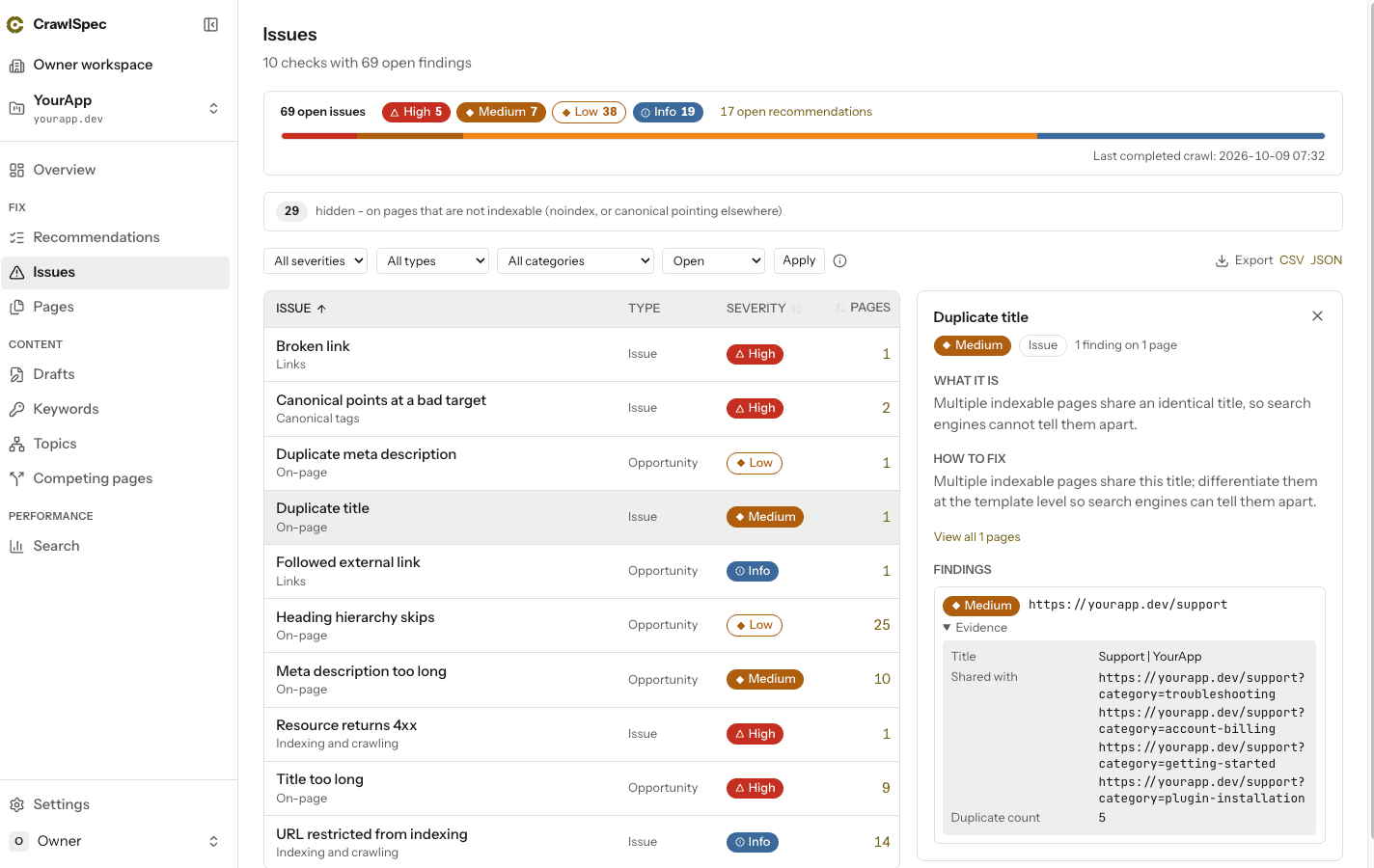
Thin and broken pages
Each page is checked for title, meta description, canonical and links, and flagged when it is too thin for its page type.
Fixes grouped by template
Every crawl runs 34 checks and groups the findings into one fix per template, so one change covers every page built from it.
Search Console, per page
Queries, clicks, impressions, click-through rate and position for every page in the properties you choose.
Pages competing for one query
When two of your pages split impressions for one query, you see the pair and the queries they share.
Optimize this page
Pick a query one of your pages already shows up for and open the editor on that page. The rewrite starts from its live text.
Written from your own data
Nothing starts from a blank prompt. The brief researches your own site first.
A brief built from your site
Before any copy is written, the brief gathers the page's open issues, structure, inbound links and the Search Console queries it already shows up for.
Facts you stand behind
Add your prices, numbers and claims once, with a source and an expiry date, then pick which ones a page may use.
Every number checked
Any number, price or date that does not trace to your facts, the brief's sources or your live page is flagged until you confirm it.
Your voice, per project
Describe how your site sounds, how it never sounds and the phrases it never uses, per language. Every draft follows it.
The keywords you track
Your keyword map sorts terms by search intent and shows search volume where Google Ads has it.
Nothing goes live until you approve it
The AI proposes. You decide, one section at a time.
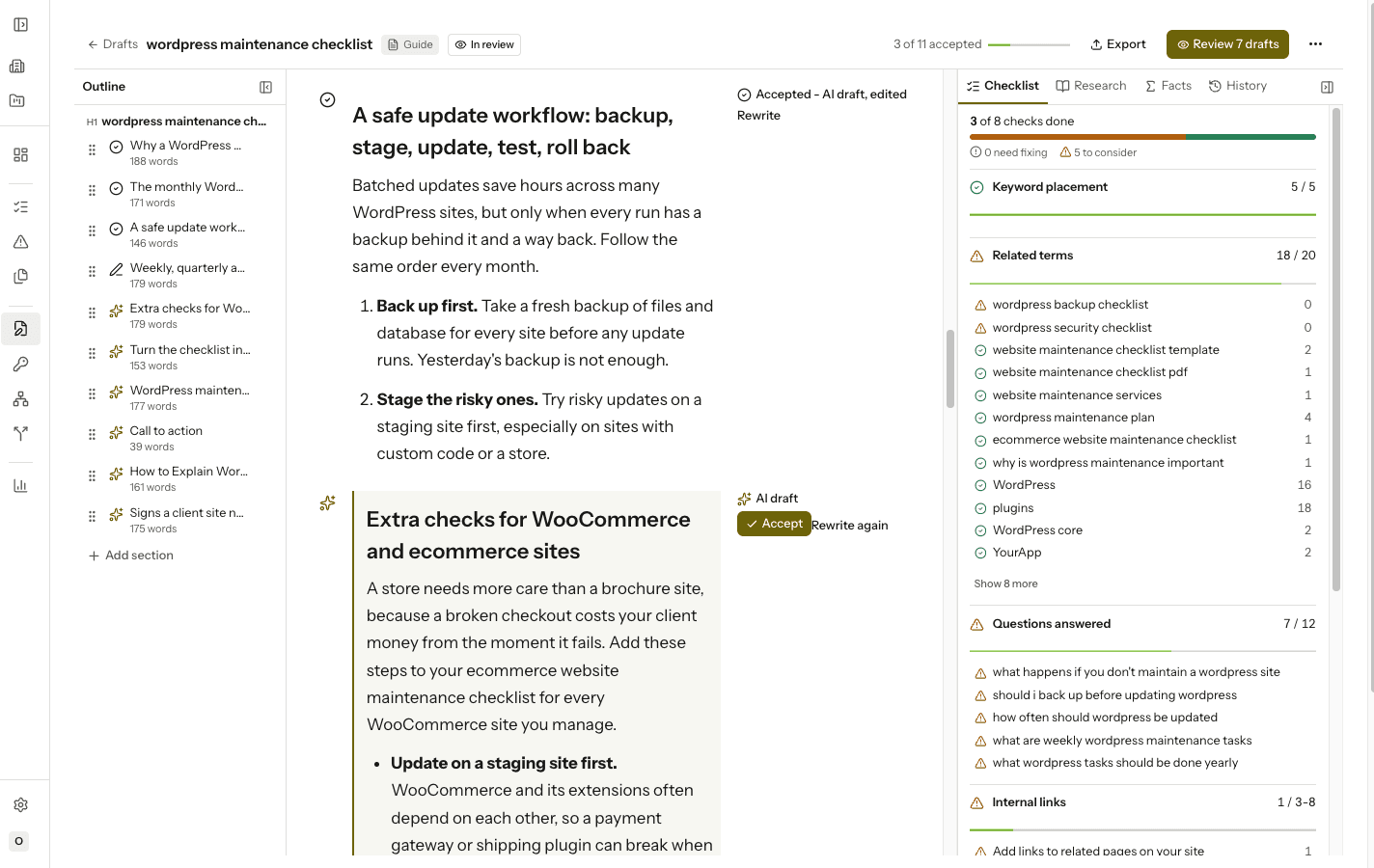
Section by section
Accept, edit or rewrite the outline, then each section. A page is ready when the outline, every section and its title are approved.
Your own writing counts
Text you type yourself is approved as you write it, unless it contains a number nothing backs up.
Tracked changes
An AI rewrite of accepted text, or an edit to your live page, shows as tracked changes. Accept or reject each sentence.
Compare with the live page
Read the draft next to the page that is live today before you approve anything.
Who wrote what
Every accepted section records where it came from: the AI, an AI draft you edited, your own writing, or the live page.
Lands in your app
An approved page reaches your site the way your team already ships code.
Markdown export
Every paid workspace can export an approved page as Markdown: one H1, a heading per section, links and lists intact.
The kit (beta, by invitation)
Approved pages land in your own components. Your app pulls them, so CrawlSpec never gets write access to your repo.
- Map CrawlSpec sections to your own components
- Pull via CLI, coding agent or GitHub Action
- Pull requests never merge on their own
- After a release, CrawlSpec checks the live page
Your coding agent
Your agent gets 11 workspace tools over MCP, plus the API, to read briefs and recommendations, mark a brief applied and request a re-check.
The crawl underneath
Everything above starts from your crawl: a record of what is on your site today.
Full crawl inventory
CrawlSpec records every URL and resource your site links to, with its status, so a brief can cite what is actually there.
WebSite Auditor import
Compare your WebSite Auditor export with your crawl.
Severity, not noise
Example findings.
| URL | Issue | Severity |
|---|---|---|
| /products/sku-4821 | Canonical points at a bad target | High |
| /blog/crawl-budget | Duplicate title | Medium |
| /pricing | Meta description too long | Low |
Before you start
- Does the crawl run JavaScript?
- No. The crawler reads the HTML your server sends and does not run JavaScript. Pages built in the browser may look nearly empty and get flagged as thin. Server-rendered pages crawl in full.
Try it first: the Free Scan checks 25 pages of your site, with no account and no card.